
To protect your brand and enhance your online credibility, verifying your Facebook business account is a crucial step you can’t afford to skip. The guide below will walk you through how to verify a Facebook business account quickly and effectively, ensuring you master the process and achieve success. Read on to discover the essential steps with RentFacebookAccount that will help you secure your online presence.
Contents
- 1 The necessity of verifying a Facebook business account
- 2 Understanding Facebook’s verification system
- 3 Initial setup and requirements
- 4 The step-by-step verification process on how to verify a Facebook business account
- 5 Beyond verification: what’s next?
- 6 Keeping your account in good standing
- 7 Troubleshooting common issues
- 8 Expanding your digital footprint
The necessity of verifying a Facebook business account
When it comes to establishing an online presence, verifying your Facebook business account is a crucial step. This process is more than just a formality; it’s about ensuring your customers trust that they are engaging with the official page of your business. Without verification, your business is at risk of being overlooked or mistrusted by potential customers who might question the legitimacy of your page.
Verification also unlocks additional features within Facebook business manager that can help you manage your business more effectively. These tools are invaluable for businesses looking to scale and reach a broader audience. Simply put, verification is a vital part of growing your business online.
Understanding Facebook’s verification system
Before diving into the process, it’s important to understand how Facebook’s verification system works. Verification is not granted to every business automatically. Facebook has specific criteria that your business must meet to be eligible. These criteria include having a complete profile, an active website, and a consistent presence on Facebook. This system is designed to ensure that only legitimate and active businesses receive verification.
Initial setup and requirements
Before you can apply for verification, you need to ensure that your Facebook business manager account is properly set up. This means that all your business information must be accurate and complete. Facebook will require you to provide details such as your business name, physical address, phone number, and possibly other information depending on your business type.
Preparing your business account
The first step is to make sure your business manager account is ready for verification. Go through your profile to ensure that all sections are filled out. This includes your business description, contact information, and links to your official website. Your page should also have a professional appearance with a high-quality profile picture and cover photo. This shows Facebook that your business is serious and ready to engage with its audience.
Required documentation
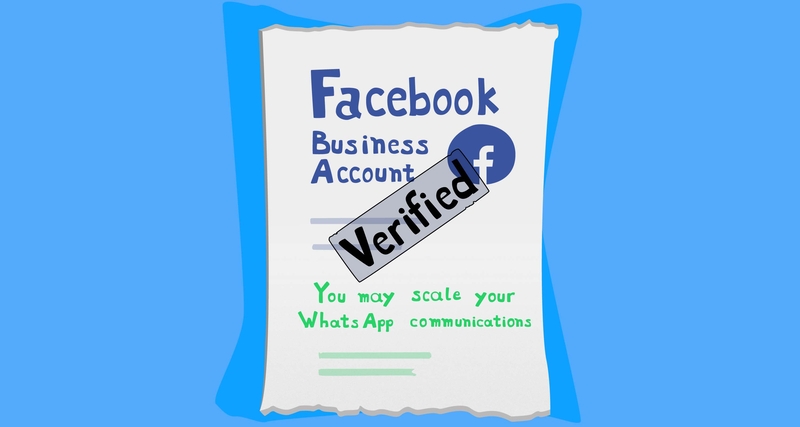
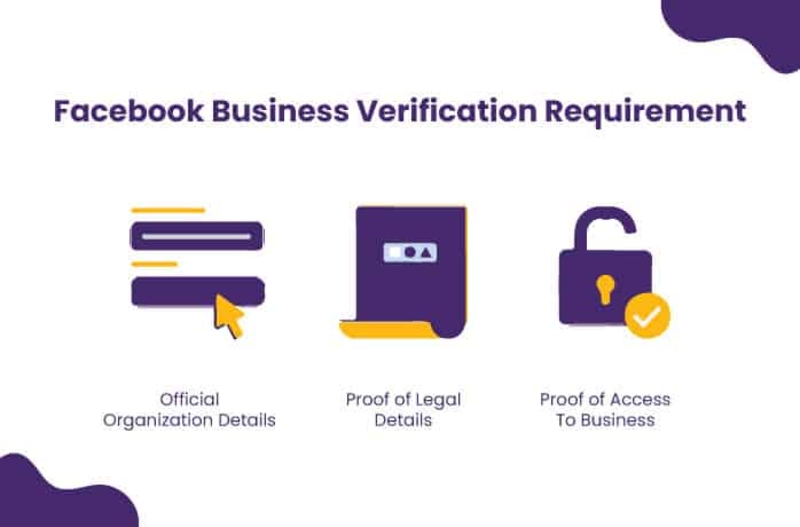
When it comes to verifying your business account, having the right documentation is key. Facebook typically requires official documents that can prove your business’s legitimacy. This might include a business license, tax filings, or utility bills that match the information on your Facebook page. Make sure these documents are clear, up-to-date, and ready to be submitted when you apply for verification.
The step-by-step verification process on how to verify a Facebook business account
Now that your account is prepared, let’s go through the steps to verify your Facebook business account.
Accessing the verification section
Start by logging into Facebook business manager and selecting the page you wish to verify. Navigate to the “settings” tab and find the option for “page verification.” Clicking on this will start the verification process.
Filling out business information
Facebook will prompt you to enter specific details about your business. Ensure that all the information you provide matches exactly what is on your official documents. This includes your business name, address, and phone number. Double-checking this information is crucial because any discrepancies can cause delays or rejection of your verification request.
Document submission tips
When submitting your documents, clarity is essential. Ensure that the text on your documents is readable and that all necessary information is visible. Facebook may reject documents that are blurry or incomplete, so take the time to prepare them properly. Additionally, submit documents in the correct format as specified by Facebook, usually PDF or JPEG.
Finalizing the submission
After entering your details and submitting your documents, you’ll need to review everything before finalizing the submission. Facebook typically takes a few days to review verification requests. You can check the status of your application by revisiting the “page verification” section in your settings. If all goes well, you’ll receive a notification that your account has been verified.

Beyond verification: what’s next?
Once your account is verified, you’re not done yet. Verification opens up new tools and features that can help you manage your business more effectively. Let’s explore some of the benefits and responsibilities that come with a verified account.
utilizing verified account features
A verified account gives you access to advanced tools within Facebook business manager. These might include better audience insights, enhanced advertising analytics, and improved customer support options. These tools are designed to help you reach a larger audience and engage more effectively with your customers.

Keeping your account in good standing
Maintaining your verified status is crucial. This means regularly updating your business information and keeping your Facebook page active. If your business undergoes changes, such as moving to a new location or changing your phone number, make sure to update these details on your Facebook page promptly. Regular activity, such as posting updates and engaging with followers, also helps maintain your verification status.
Troubleshooting common issues
Even with careful preparation, you might encounter some issues during the verification process. Here are some common problems and how to solve them.
Dealing with verification delays
If your verification is taking longer than expected, double-check the information you provided. Ensure that all your documents are clear and that the details match exactly what’s on your Facebook page. Sometimes, delays can be caused by simple errors that can be easily corrected.
Handling rejections
If your verification request is denied, Facebook will typically provide a reason. Review the reason carefully and make the necessary adjustments. Whether it’s correcting inaccurate information or providing clearer documents, make sure to address the issue before reapplying. You can resubmit your application once the corrections have been made.
advanced strategies
Beyond the basic benefits of verification, there are more strategic ways to use your verified status to your advantage. Here are a few advanced strategies to consider.
Maximizing your verified status
Your verified status isn’t just a badge of authenticity; it’s a tool for marketing and growth. Use it to build trust with your audience by prominently displaying your verification badge on your page and in your communications. This can boost customer confidence and lead to higher engagement rates.
Expanding your digital footprint
With your verified account, you can now explore new opportunities for expanding your business’s digital footprint. Use the advanced tools provided by Facebook business manager to create targeted ad campaigns, analyze audience behavior, and optimize your content strategy. A verified account also allows you to collaborate with other verified businesses, further expanding your reach and credibility.
By following our step by step guide on how to verify a Facebook business account, you’ve gained valuable insights to protect and elevate your brand. Implement these steps to ensure your business stands out and maintains credibility online.
For more information, refer to the article here