
Are you spending money to show Facebook ads to your existing customers or people who will never convert? Wasting budget on the wrong audience is a common problem. Learning how to exclude audiences when advertising on Facebook is one of the most effective ways to increase your ROAS, improve relevance, and run smarter campaigns. This guide breaks down the strategy and provides clear, actionable steps.
Contents
Why excluding audiences is crucial for Facebook ad success

Excluding audiences is a core strategy for efficient budget allocation and campaign relevance on Facebook. Showing ads to people who have already converted or are the wrong fit is a direct waste of your ad spend. By strategically removing specific groups from your targeting, you sharpen your campaign focus. This precision ensures your message only reaches those most likely to become new customers, maximizing the impact of every dollar spent and preventing budget drain on uninterested segments.
- Improved Return on Ad Spend (ROAS): You stop spending on clicks that will not convert. This directs your budget exclusively toward high-potential new customers.
- Enhanced Ad Relevance: A refined audience leads to higher engagement signals. Facebook rewards this with better delivery and lower costs, helping you improve quality ranking in Facebook ads.
- Reduced Audience Fatigue: Bombarding existing customers with acquisition ads can create negative brand perception. Exclusion helps maintain a positive relationship with your current base.
- Clearer Campaign Data: When you exclude irrelevant groups, your performance metrics become a more accurate reflection of your new customer acquisition efforts.
Key audience types to consider for exclusion
To effectively exclude audiences when advertising on Facebook, you must first identify the right groups. Facebook offers several audience types for exclusion, primarily based on data you own or interactions on its platforms. Understanding these categories is the first step toward a more refined and cost-effective advertising strategy. Each type serves a distinct strategic purpose, from preventing ad fatigue to focusing on entirely new prospects. Proper use of these ensures your budget is spent wisely.
Excluding custom audiences
This is your most powerful tool for exclusion. Custom Audiences are built from your own data sources, like customer lists or website traffic. Excluding recent purchasers from a top-of-funnel campaign is a fundamental practice. This prevents you from paying to re-acquire customers you just won. Key examples include people who visited a thank-you page or users who recently made an in-app purchase.
Excluding engagement audiences
You can also exclude users who have already engaged with your content on Facebook and Instagram. This is crucial for managing multiple Facebook and Instagram accounts effectively. For example, exclude people who have already viewed your video ads or interacted with your page. This ensures your prospecting campaigns are always reaching fresh eyes, not fatiguing your warm audience.
How to exclude an audience in Facebook Ads Manager
Applying exclusions is a straightforward process handled at the Ad Set level within Facebook Ads Manager. This is where you define who sees your ads, and by extension, who does not. This simple action is fundamental to how to exclude audiences when advertising on Facebook effectively. It ensures your budget is protected from inefficient spending. Before you begin, confirm your undefined, as this would prevent any edits.
Follow these steps to set up your exclusions correctly:
- Navigate to the Ad Set Level: Go to your Facebook Ads Manager, select the campaign you are working on, and click the Ad Set you want to edit.
- Locate the Audience Section: Scroll down to the Audience section, which is the main dashboard for all targeting settings.
- Find the Exclusion Field: Directly below the Custom Audiences field, you will see a link labeled Exclude. Click on it.
- Select the Audience to Exclude: A new input box will appear. Search for and select the Custom or Saved Audience you wish to exclude, like “Existing Customers”.
- Save Your Changes: Once you have added all exclusions, publish or save your Ad Set. Your ads will now stop showing to the people in those groups.
Advanced exclusion tactics for sophisticated campaigns
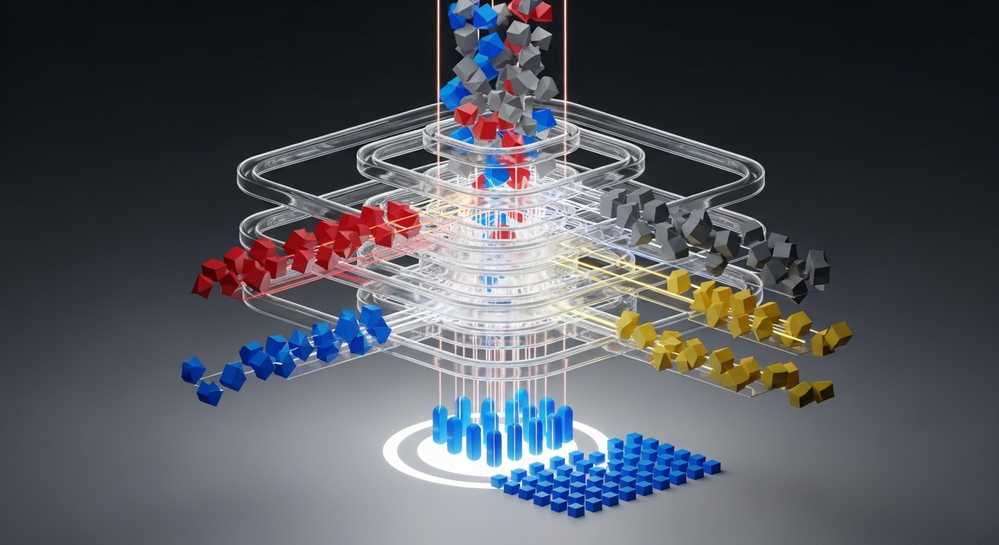
Once you master the basics, you can implement more sophisticated exclusion strategies. These advanced tactics are a core part of knowing how to exclude audiences when advertising on Facebook for maximum efficiency. They help you manage the customer journey and allocate your budget with surgical precision. This level of control is essential when you want to undefined successfully, moving beyond simple exclusions into true campaign optimization.
- Funnel-based exclusions: Create a chain of exclusions to guide users through your marketing funnel. For a middle-funnel campaign, exclude users who already added an item to their cart. This ensures your messaging always matches the user’s stage.
- Lookalike audience overlap: When using multiple Lookalike Audiences, exclude the smaller, higher-quality tiers from the broader ones. For an ad set targeting a 1-3% lookalike, exclude your 1% lookalike to ensure you are only reaching new people.
- Time-sensitive exclusions: Use time windows strategically. For a retargeting campaign, you might include website visitors from the last 30 days but exclude those from the last 3 days to give them a brief cool-down period.
Common mistakes in audience exclusion and how to fix them

While powerful, audience exclusion can backfire if not implemented thoughtfully. Being aware of common errors can save you from shrinking your audience too much or excluding valuable potential customers. These pitfalls are a critical part of mastering how to exclude audiences when advertising on Facebook, ensuring your strategy enhances performance instead of hindering it. Avoiding these mistakes is key to maintaining a healthy campaign.
Making your audience too small
The most frequent error is over-exclusion. Layering too many exclusion rules, especially on top of a niche targeting profile, can shrink your potential reach significantly. When the audience is too small, the Facebook algorithm struggles to find users and deliver your ads effectively. Always monitor the Potential Reach indicator in the Ad Set settings to ensure your audience remains broad enough for optimization.
Using outdated exclusion lists
Your customer list from six months ago is not the same as it is today. If you are using static Custom Audiences, like a one-time file upload, you must refresh them regularly. Otherwise, you will start showing acquisition ads to your newest customers. It is better to use dynamic audiences that update automatically from your Facebook Pixel data.
Remember: The goal of exclusion is precision, not elimination. Use it to refine your audience, not to build an impenetrable fortress that no one can enter.
Mastering audience exclusion is a fundamental step toward advertising maturity on Facebook. It transforms your campaigns from broad-casting a message to precision-targeting the right people at the right time. By implementing these strategies, you will not only improve your results but also gain deeper insights into your customer journey. For reliable, high-quality ad accounts to execute these advanced tactics, consider a service like Rent Facebook Account.